Skip to main content
Copying a Report in LeadConduit
- Locate your report on the reports menu.
- Select the vertical ellipsis to the right of the report name to open the options menu.
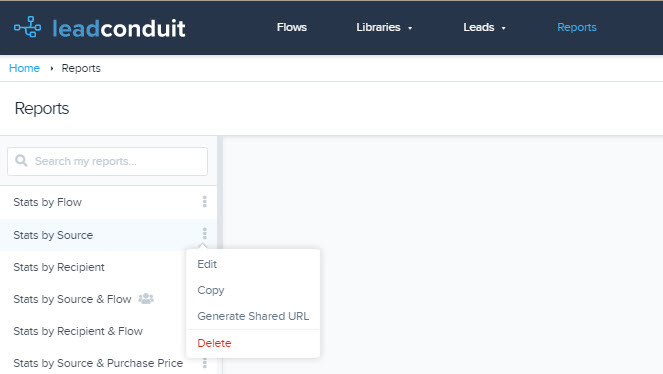 4. A drop-down menu will open. Select the ‘Copy’ option.
- This will immediately open a new report, configured with the same options as the report you selected for duplication.
- This newly duplicated report will have the same name as the previous report with the word ‘Copy’ appended to the end.
- If you’d like to change the name of this flow, select the pencil icon at the top of the report editor menu.
- Continue editing your report or save your changes.
Was this article helpful?
0 out of 0 found this helpful

Comments
0 comments
Please sign in to leave a comment.